

Though Put.io is a nice service for downloading torrents online, there is no way for you to see what does it look like unless you spend some pennies. This review gives you an impression of Put.io absolutely free. Enjoy!
[sc:bitport]Put.io is a cloud based service which offers downloading torrents online. The website also features audio-video streaming, sharing and .MP4 video conversion. I’ve used Put.io and will tell you the story of their services here. Before beginning the details, let’s see its pros and cons.
Pros
- Put.io is fast and easy to use
- The service offers media streaming which can save local storage and time
- Users can share online files with others
- It offers a torrent RSS service which downloads files automatically
- Download servers can be changed to ensure greater speed
Cons
- There is no free service. It could offer a minimum volume to try for free
What People Say About Put.io?
Put.io’s online torrent downloading service is not new on the web. It got a good attention from the consumer and press community. I found some independent users who liked its fast fetching and media streaming facility. Another user said the ‘Speed Test’ feature helps a lot to keep up good experience.
Popular tech site TechCrunch described Put.io as a ‘revolutionary storage and retrieval platform’. Mashabale featured the service with ‘Change the Way You Store and Stream Media Files with Put.io’ headline.
However, some interested users said they wish to have an opportunity of trying the service for free– at last a few megabytes.
Put.io Review
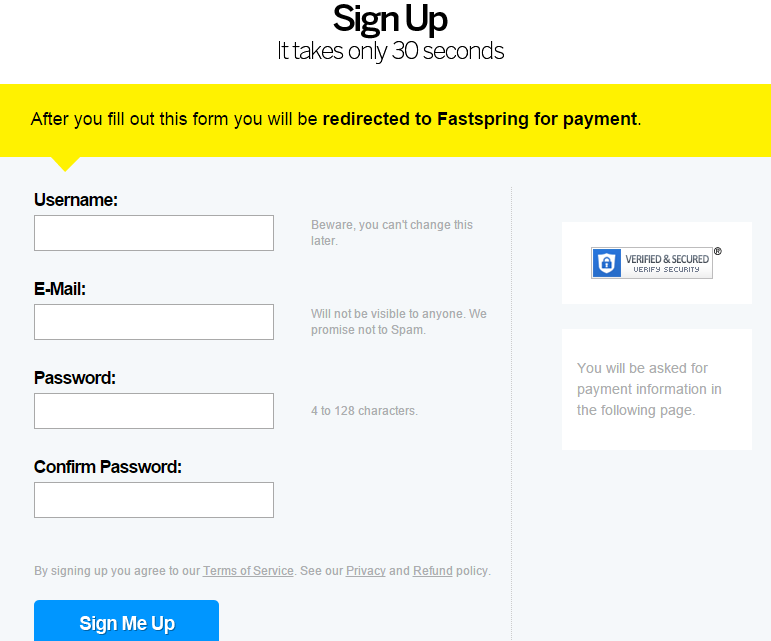
To use this service, consumers are required to register and purchase a subscription with Put.io. Packages start from $0.99 a day with 50GB storage. You can get more storage and subscription time with bigger plans. See the detailed pricing here. Sign up by visiting https://put.io. The registration from looks like this.
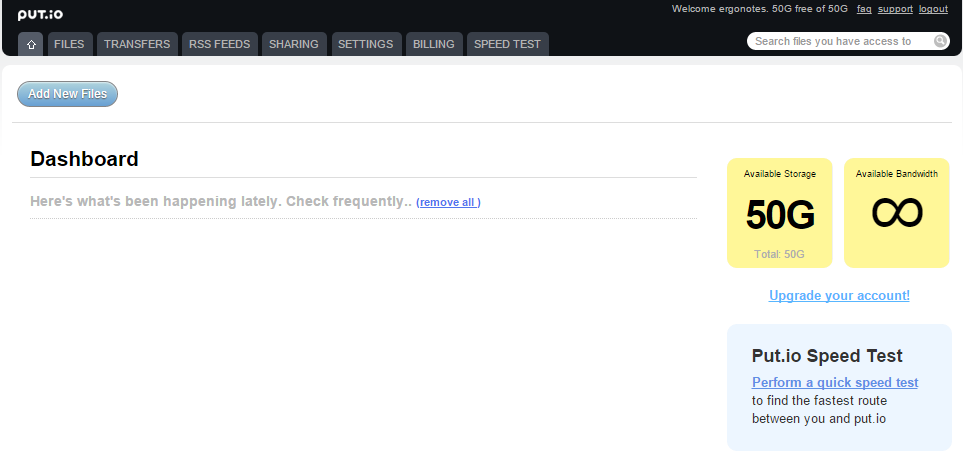
Once the registration is complete, visit https://put.io and login with your account credentials. You will see your dashboard.
Click ‘Add New Files’ button to initiate the torrent download process.
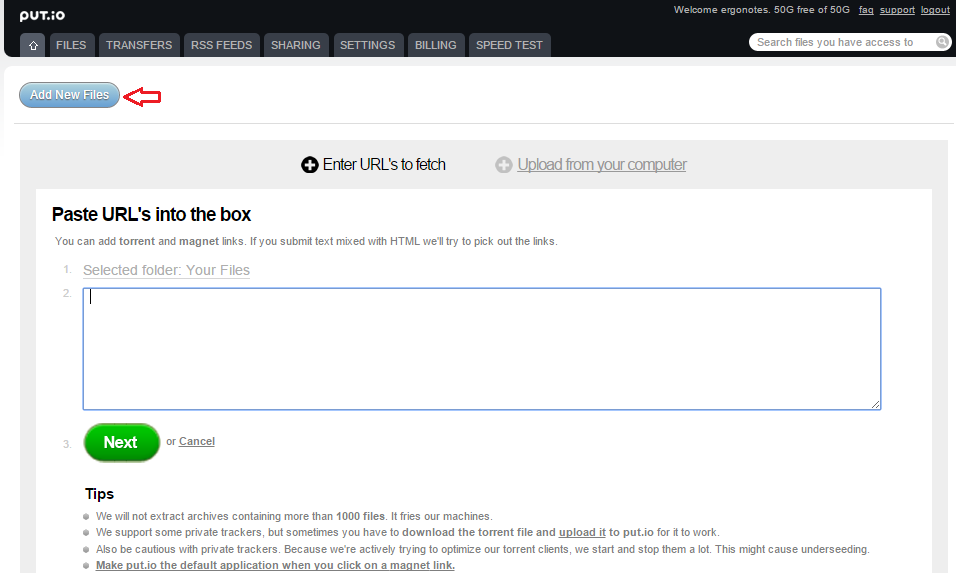
Here you can download torrents in two ways-
- Using magnet link
- Uploading the .torrent file to Put.io
I’ll show you the both. At first, let’s follow the magnet link method.
Initiate a download using magnet link
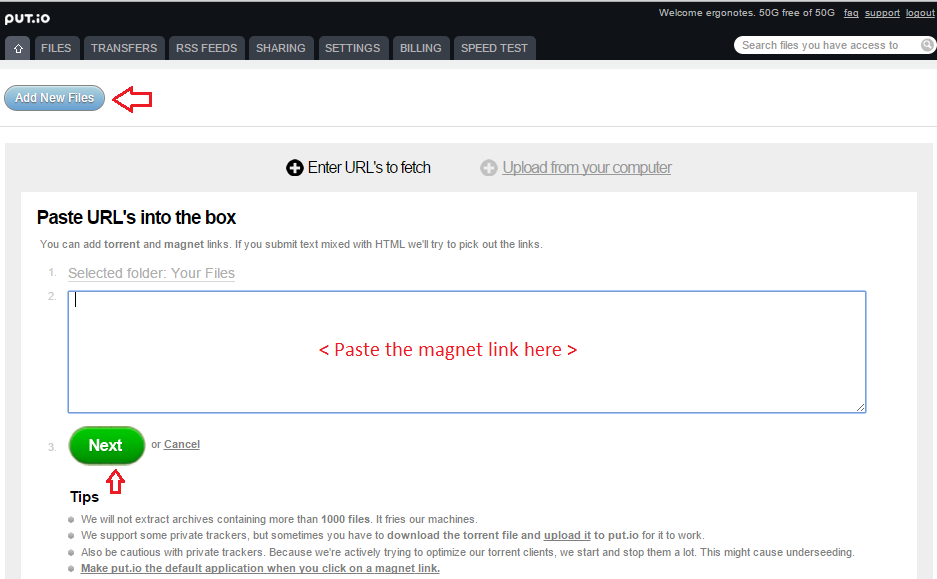
Clicking the ‘Add New Files’ button shows the magnet link input box by default. Paste your torrent’s magnet link (collected from its provider) into the box. Click the ‘Next’ button.
Put.io will analyze the link and show you the file status and information.
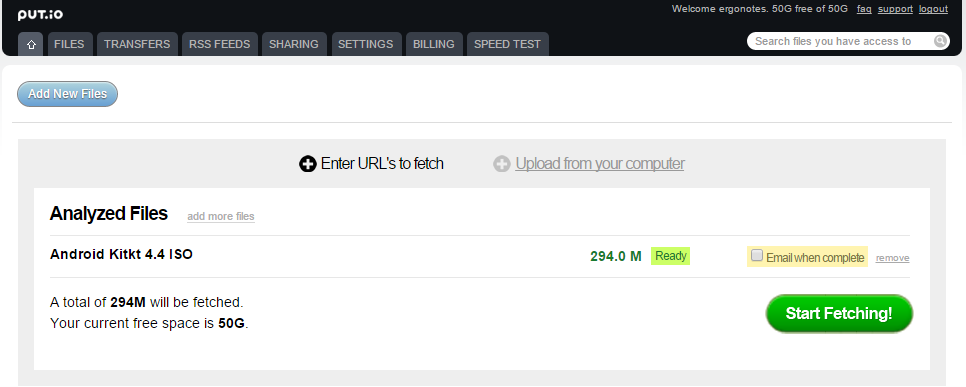
You can set an email notification to be sent when the torrent fetching completes. Click ‘Start Fetching’ to start downloading the file on Put.io server.
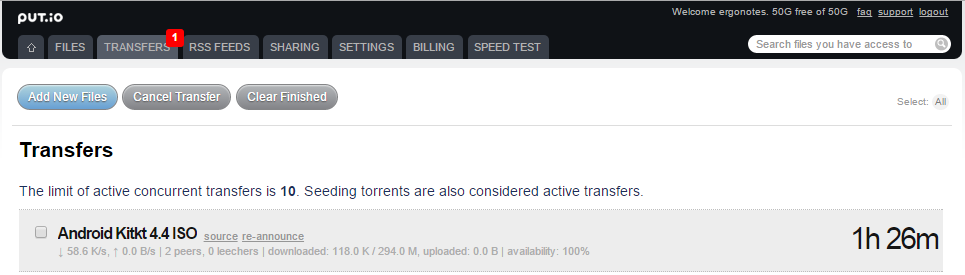
After clicking the ‘Start Fetching’ button, a new page appears with the progress of transfer process.
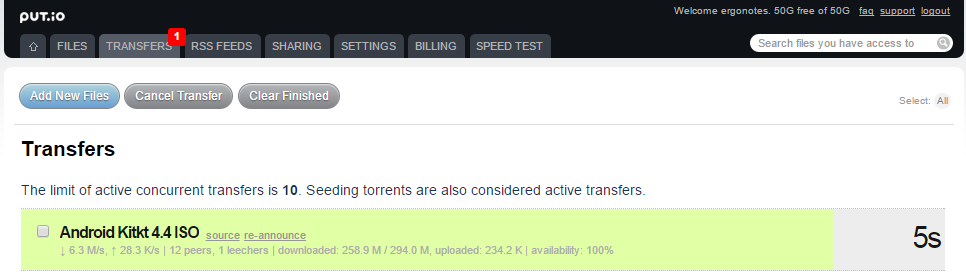
In my experience, initially the estimated transfer time seemed to be lengthy. But it reduced after a few seconds. If you wish, you can cancel an ongoing transfer or clear a finished transfer from this list.
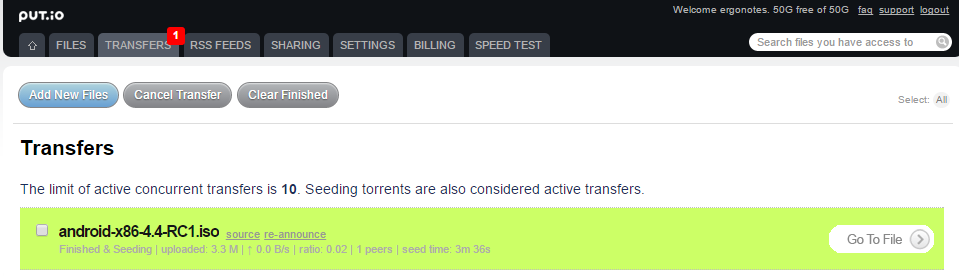
When the file transfer is complete, click ‘Go To File’ to show the file location inside Put.io.
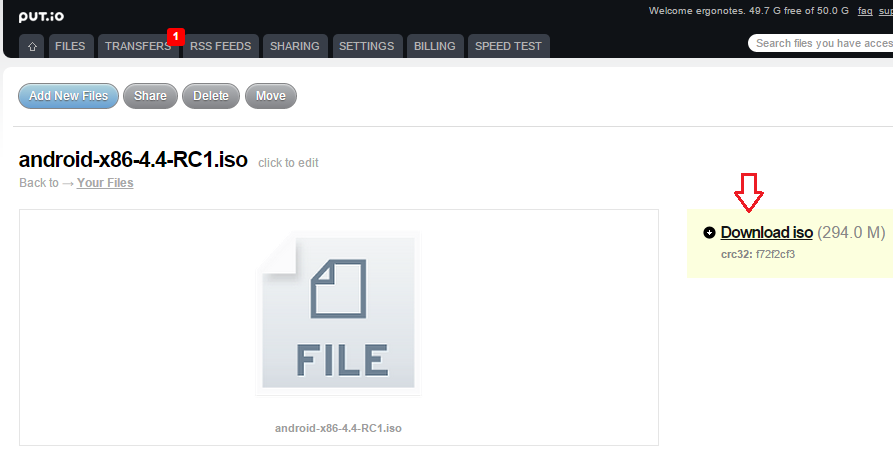
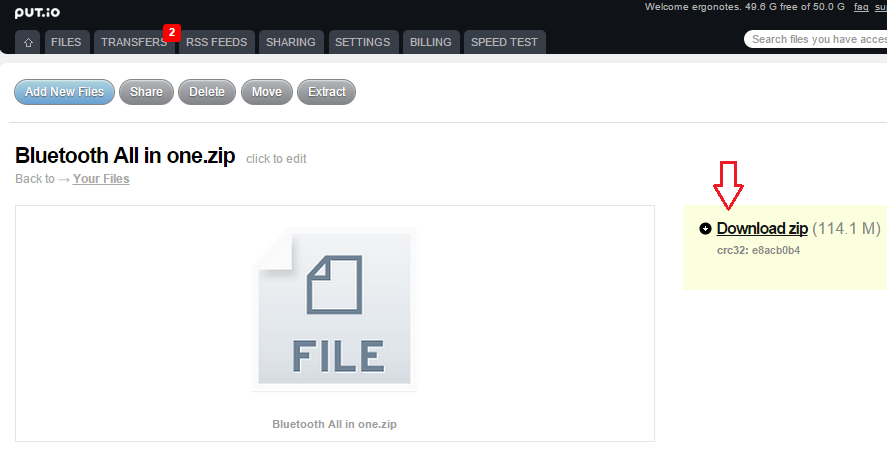
Here is a download button to get the file locally.
Initiate a download using a ‘.torrent’ file
You will find .torrent files in torrent sharing sites. Put.io also works with these files. To download a target file via torrent, upload the .torrent file to Put.io.
Click the ‘Add New Files’ button at first (see in the following image: 1) .
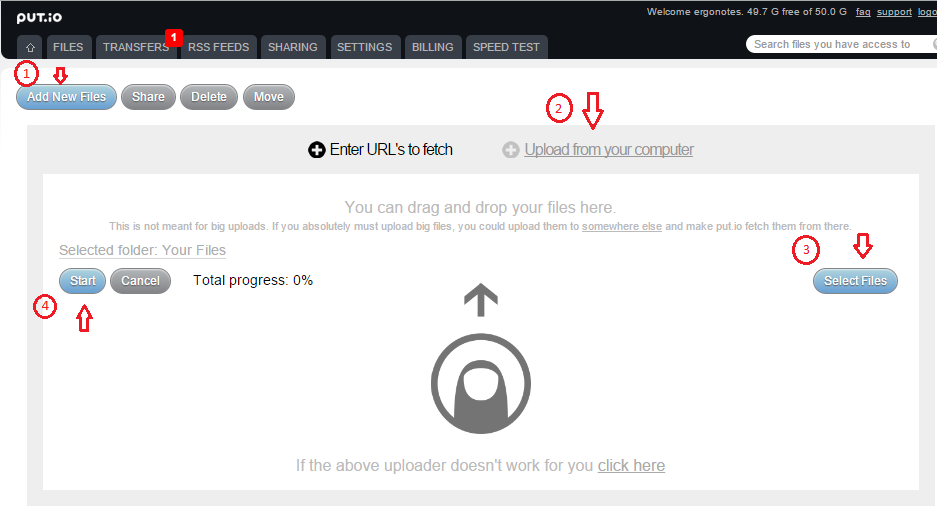
Select ‘Upload from your computer’ option (2). Locate your .torrent file from computer using ‘Select Files’ button (3), then click the ‘Start’ button at the left side (4). The torrent will be uploaded and a new notification will be appeared about the initiated transfer.

Visit ‘Transfers’ section (where the notification is shown) found on the top of the Put.io website.
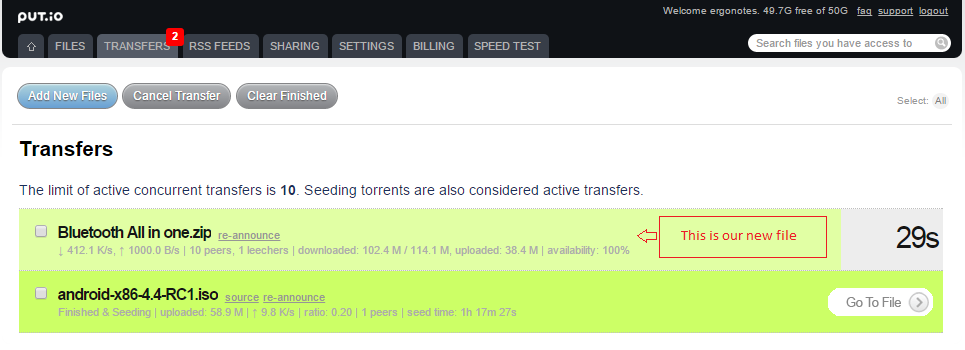
When the transfer is complete, click ‘Go To File’.
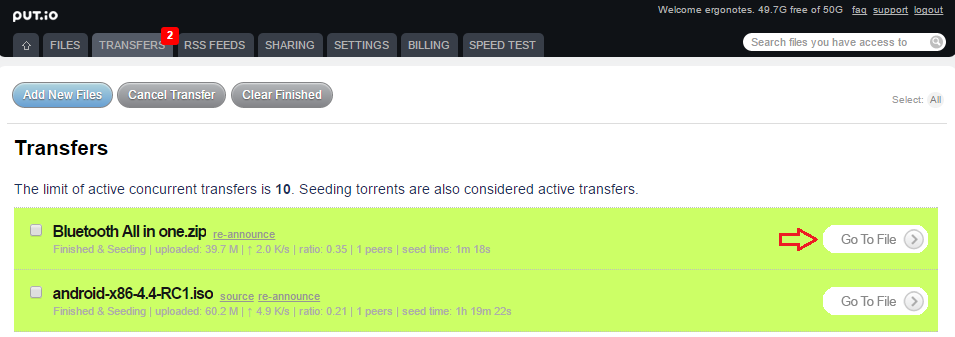
Download your desired file from here.
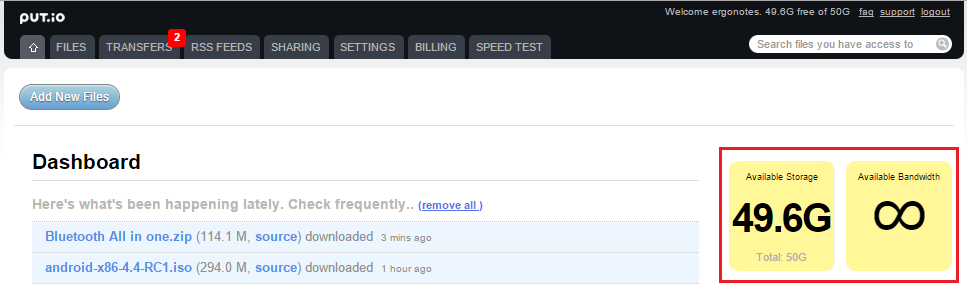
Managing Put.io
Put.io dashboard (homepage) shows a list of your files available to download. This are the files that are transferred to your Put.io account. You can check their source, download the files or remove the item from this list. Remember, removing files from this list wouldn’t delete those files from your Put.io storage.
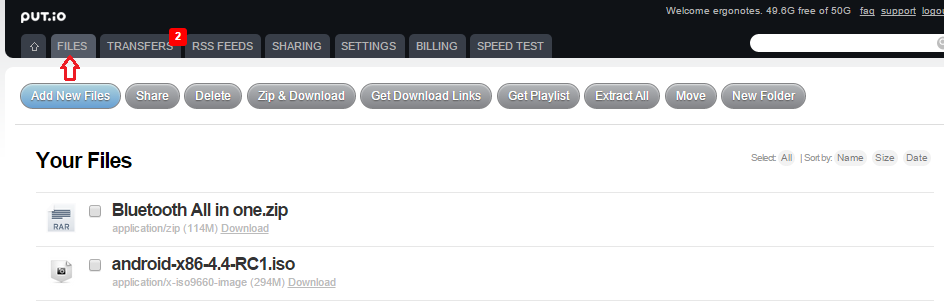
Visit the ‘Files’ section to see all of your files stored on Put.io. You can share, download, delete, extract files from here. There are other options as well.
The ‘Transfers’ page shows your ongoing and completed transfers. It displays an estimated time-span required to complete each transfer.
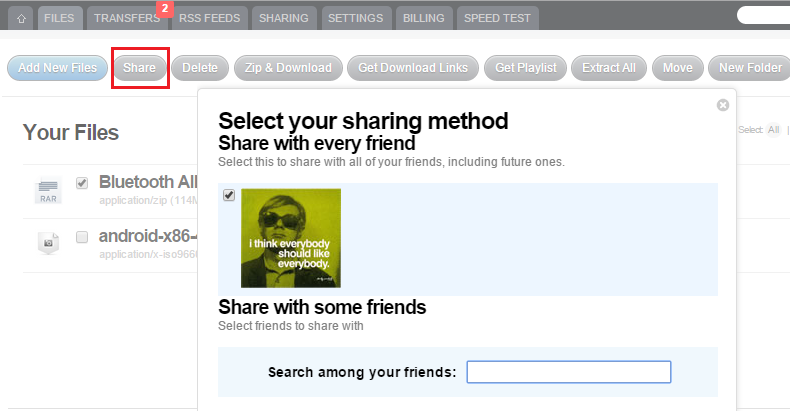
You can share your Put.io files with other people too. Mark a file/folder and click the share button from the upper ribbon. Search your friends by email address/Put.io username and select to share with.
From the Files page, you can mark and delete files. It also has options for zipped download, getting direct download link, getting playlist for appropriate media files, extracting archived files, making new folder and moving files between folders.
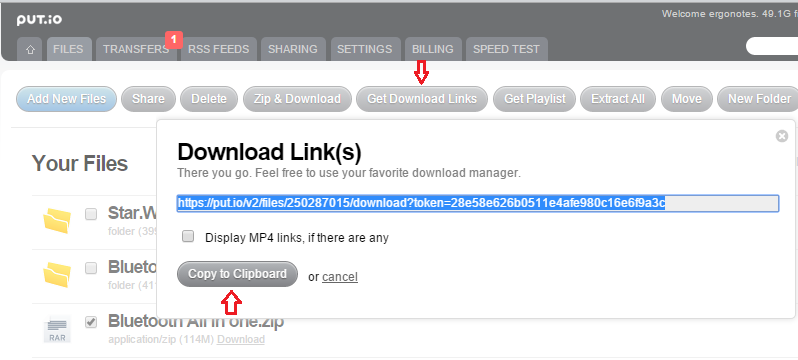
To download a file directly or share with others, first mark a file and then select ‘Get Download Links’ option. A link will appear.
Torrent RSS Subscription
If you don’t want to miss out torrent downloads from some specific sources, you can add them to your Put.io RSS feed service. The site will fetch new contents to its server automatically.
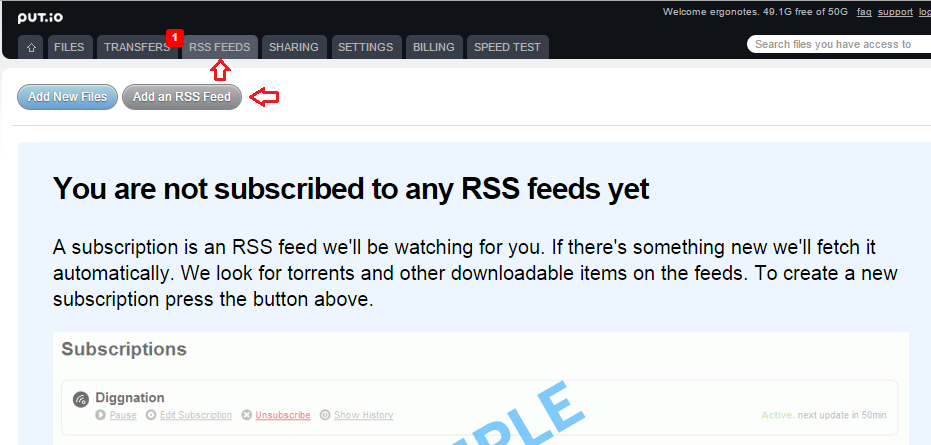
Here you can add links with customized options and filters. Click ‘Add an RSS Feed’ to use this feature.
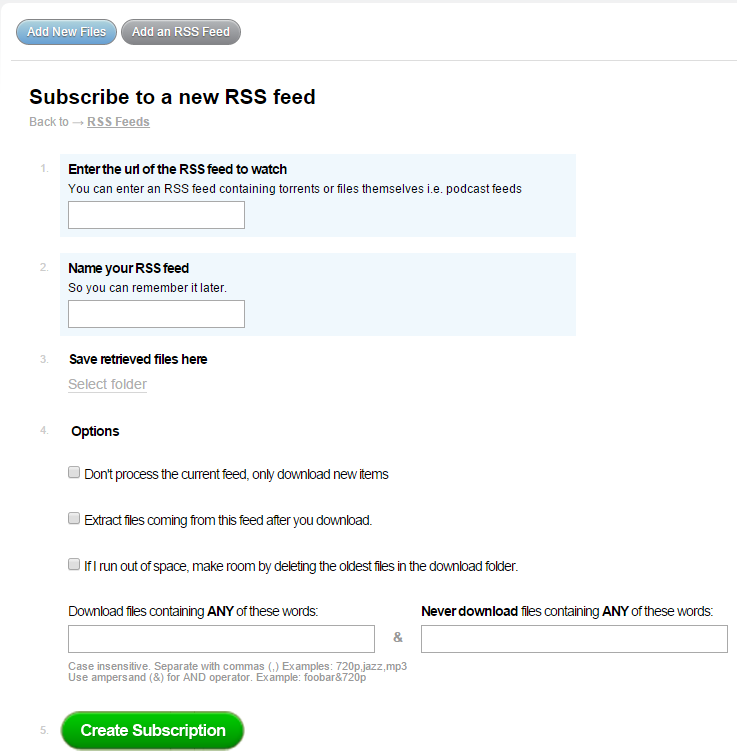
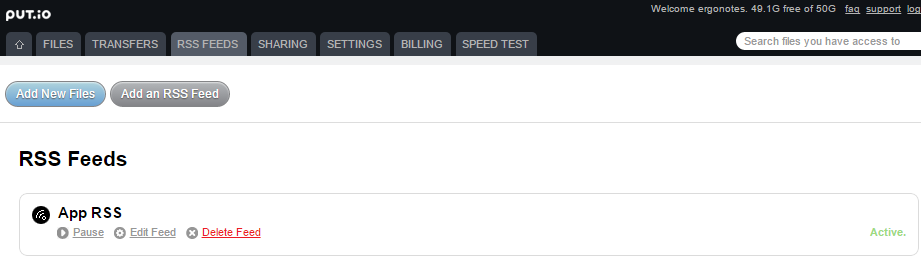
Fill up the form and press ‘Create Subscription’ to confirm. It will then look like the following.
Sharing & Friendship
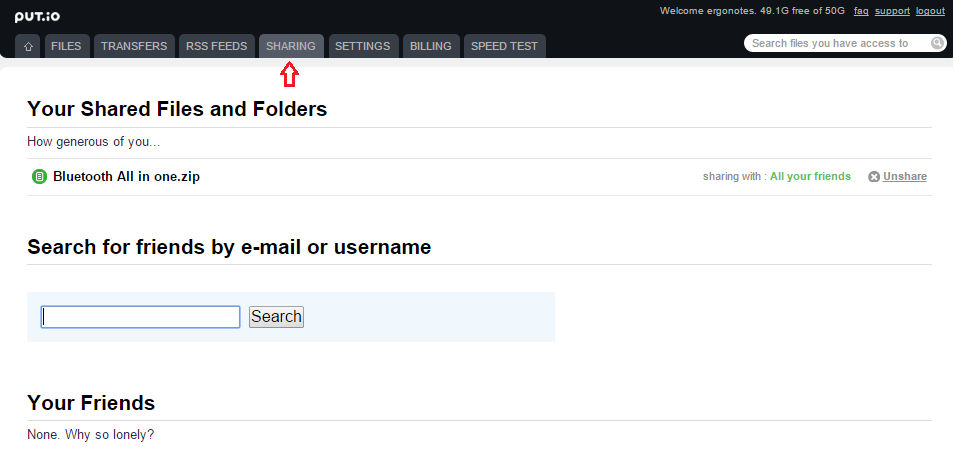
As I have already mentioned, Put.io lets share contents with others. To make it happen, you need to add friends on the site. Search for people on this page and send friend request to them.
Media Streaming
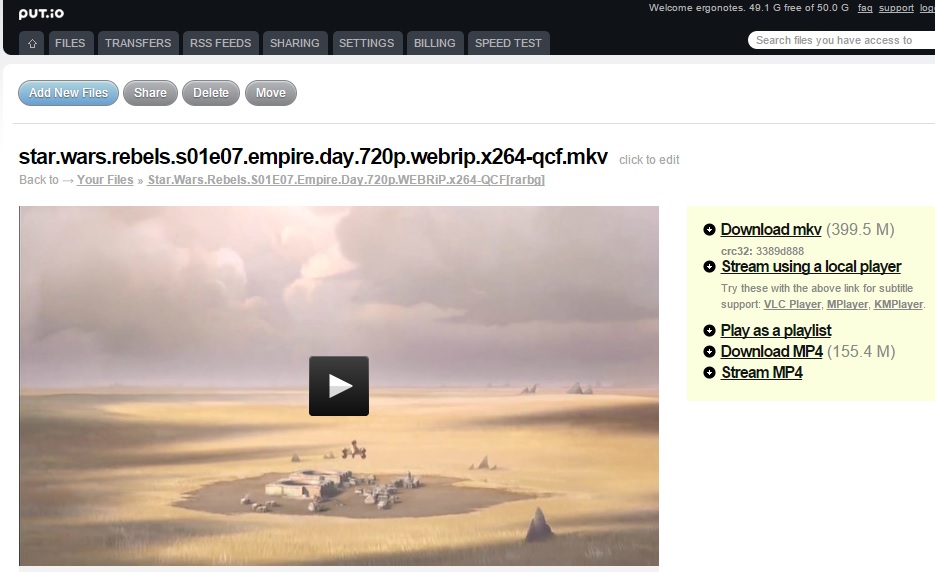
Got a big video torrent? You can enjoy it without downloading locally. Just fetch the file with Put.io and stream the video directly from the cloud. Put.io also supports music streaming and video file conversion to .MP4.
FTP
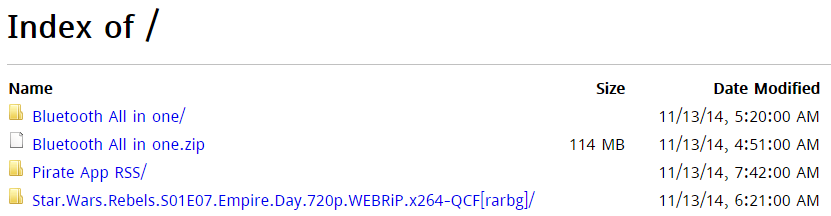
Put.io supports File Transfer Protocol (FTP). Visit ftp://ftp.put.io and provide your login information to access the service over FTP.
Account Settings
The account settings page comes with options for changing email address, password, default download location etc.
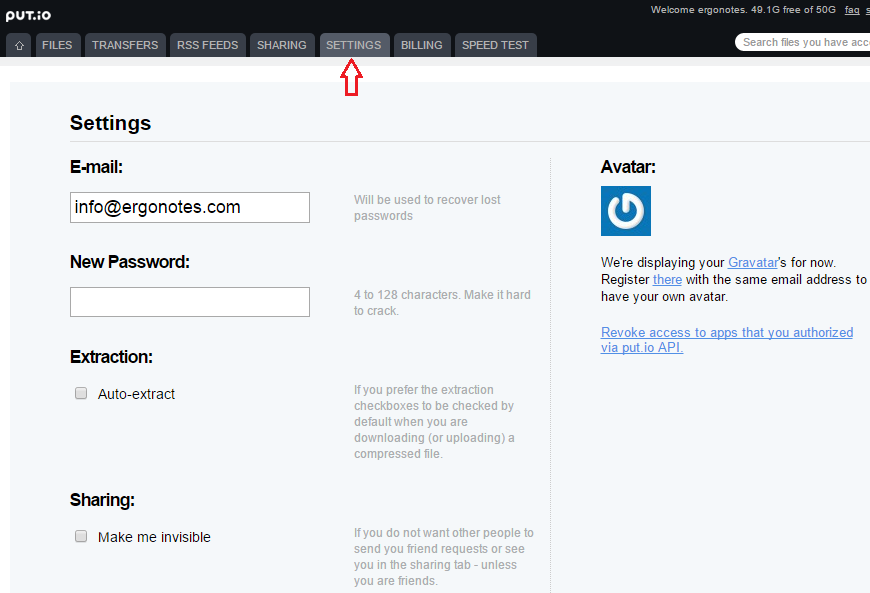
From here you can define whether Put.io will extract the archived files you are dealing with. The sharing checkbox provides an option to be invisible so that other users wouldn’t find you via search (except friends).
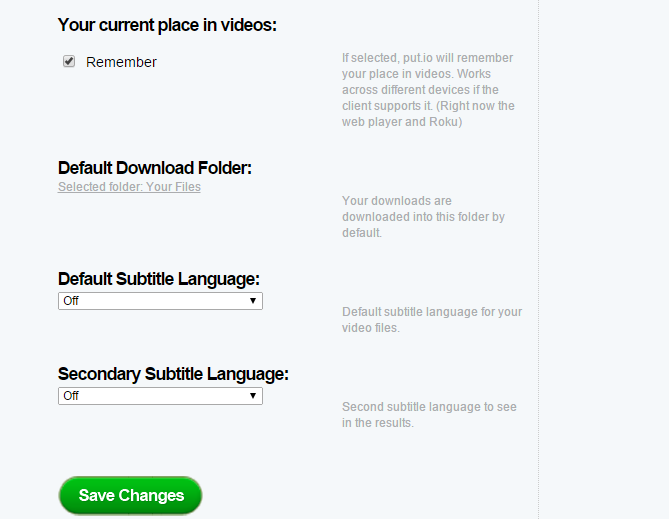
You can choose whether videos would be played from the last place or from the beginning. Subtitle preferences are also given.
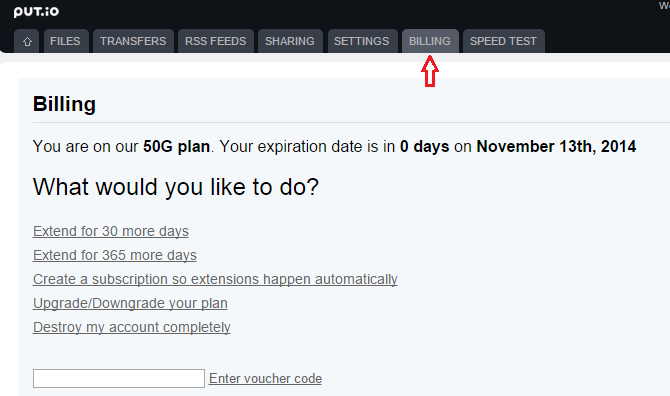
The billing section shows your account status. Here you will find upgrade/downgrade options. The page also provides a section from where you could delete your Put.io account.
Speed Test
If you feel that your current download speed is not satisfactory, then you can run a speed test on Put.io website. Visit ‘Speed Test’ and start the test.
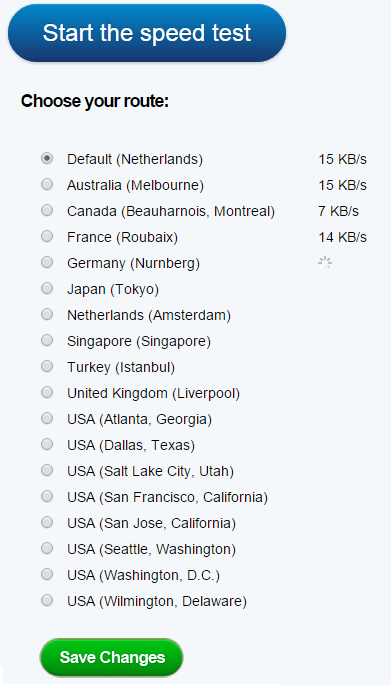
You will see the potential download speeds for each of the Put.io servers. Select and save the server with fastest data transfer rate.
This is an overview of downloading torrents online via Put.io.
The Bottom Line
Put.io performs as it is offered. If you need faster torrent downloads, Put.io is worth trying. However, the site may attract more users by giving a free quota.
Have you used Put.io yet? How was your experience with this service? Please share with us via comments. Thanks for reading.